Fly Chess Pro Customer Support Guide: How to Get Help
If you have a problem with Fly Chess Pro, first identify what went wrong. You may be unable to log in, your account details may not work, or a payment request may remain pending. The right way to ask for help is to explain the issue clearly and provide only the details needed to check it.
How to Contact Fly Chess Pro Support
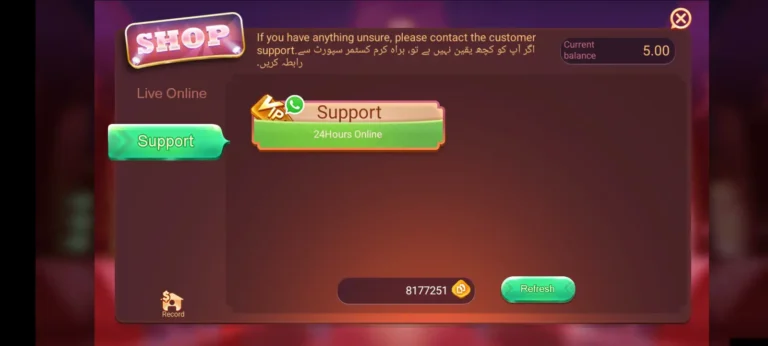
Open the Fly Chess Pro app and look for a Help, Support, Customer Service, or Contact Us option. The name may differ between app versions. If you find an official support channel, use it to report your problem.
Avoid contact numbers or social media accounts shared by unknown people. They may not belong to the app’s actual support team.
What Information Should You Provide?
Before sending a message, prepare a short explanation of the issue. Include these details when relevant:
- Your problem: Explain whether you have a login, payment, withdrawal, or game-related issue.
- Time of the problem: Mention when it happened.
- Transaction reference: If a payment is involved, include the transaction ID when available.
- Error message: Copy the exact message displayed on your screen.
- Screenshot: Attach a screenshot if it helps explain the problem, but hide private information.
Never send your password, account PIN, or one-time verification code to someone claiming to be a support agent.
How to Report a Payment or Withdrawal Problem
If a deposit does not appear in your account, check your payment record first. Confirm the amount, recipient details, and transaction status with your payment provider. Then contact the support channel shown inside the app, if available.
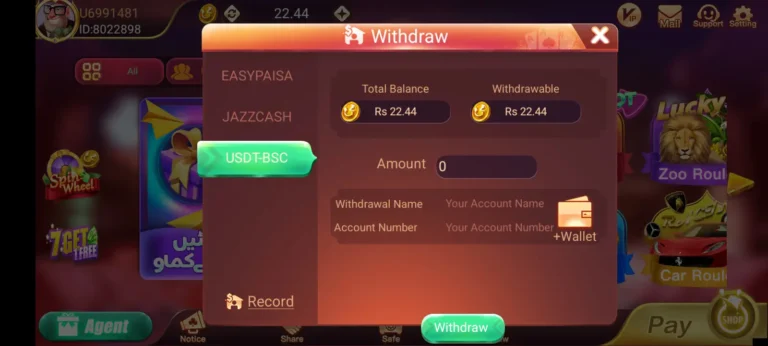
For a pending withdrawal, check its status before submitting another request. Keep the transaction reference and any confirmation message. These details may help the support team review the issue.
Do not pay an extra fee to an unknown person who promises to release your balance. Verify any fee through the app’s official information before taking action.
What to Do If You Cannot Log In
Check your internet connection and make sure you are using the correct login details. If the app offers a password recovery option, follow the instructions shown there.
If access still fails, look for an official help option. Explain the error you see and mention whether the problem started after changing your password, updating the app, or switching devices. Never share your password with another person to recover your account.
How to Avoid Fake Support Accounts
People sometimes create unofficial profiles that use a game’s name or logo. Before trusting a contact, check whether the app itself directs users to that channel.
Keep these points in mind:
- Do not share verification codes or passwords.
- Do not install files sent by unknown support accounts.
- Do not send money to a personal account to unlock a payment.
- Save payment receipts and important support messages.
- Do not assume a person is genuine simply because they know your username.
How Long Does Support Take to Reply?
The response time may depend on the type of problem and the support service available. I could not verify a fixed reply time for Fly Chess Pro, so avoid relying on a promised deadline from an unofficial source.
If you have already sent a request, keep its reference number and wait for an update. Sending repeated messages with different details may make the issue harder to follow.
Final Words
When using Fly Chess Pro, explain your problem clearly and keep records of important transactions. Use the help channel provided by the app whenever one is available. If you cannot confirm that a contact is official, do not share account information or send money to that person.
Frequently Asked Questions
How can I contact Fly Chess Pro customer support?
Open the app and check for a Help, Support, Customer Service, or Contact Us section. Use the contact method shown there if available.
What should I do if support does not reply?
Keep your transaction records or error screenshots and check whether the app provides another official way to follow up. Do not trust strangers who promise to solve the issue for a fee.
Can I share my password with a support agent?
No. Keep your password, PIN, and verification codes private. A request for these details from an unverified contact is a warning sign.
What should I do if my payment is missing?
Check the payment status with your payment provider, save the transaction reference, and report the issue through an available official support channel.